Features
Everything in the toolkit.
One app, organised by the thing you actually do: capture, look, grade, finish. Below is the full set of tools Acetate ships with.
Pure RAW capture
Shoot ProRAW. No baked-in processing.
Acetate writes the sensor's full uncompressed data — Apple ProRAW DNG — straight to your library. Every stop of dynamic range is preserved for the edit. Standard iPhone JPEGs throw away the highlight latitude and crush the shadow detail; Acetate refuses to.
- ProRAW (DNG) on every supported iPhone
- Full sensor dynamic range, no flatten
- EXIF preserved through capture, edit, and save
Pro shooting modes
Manual when you want it. Assisted when you don't.
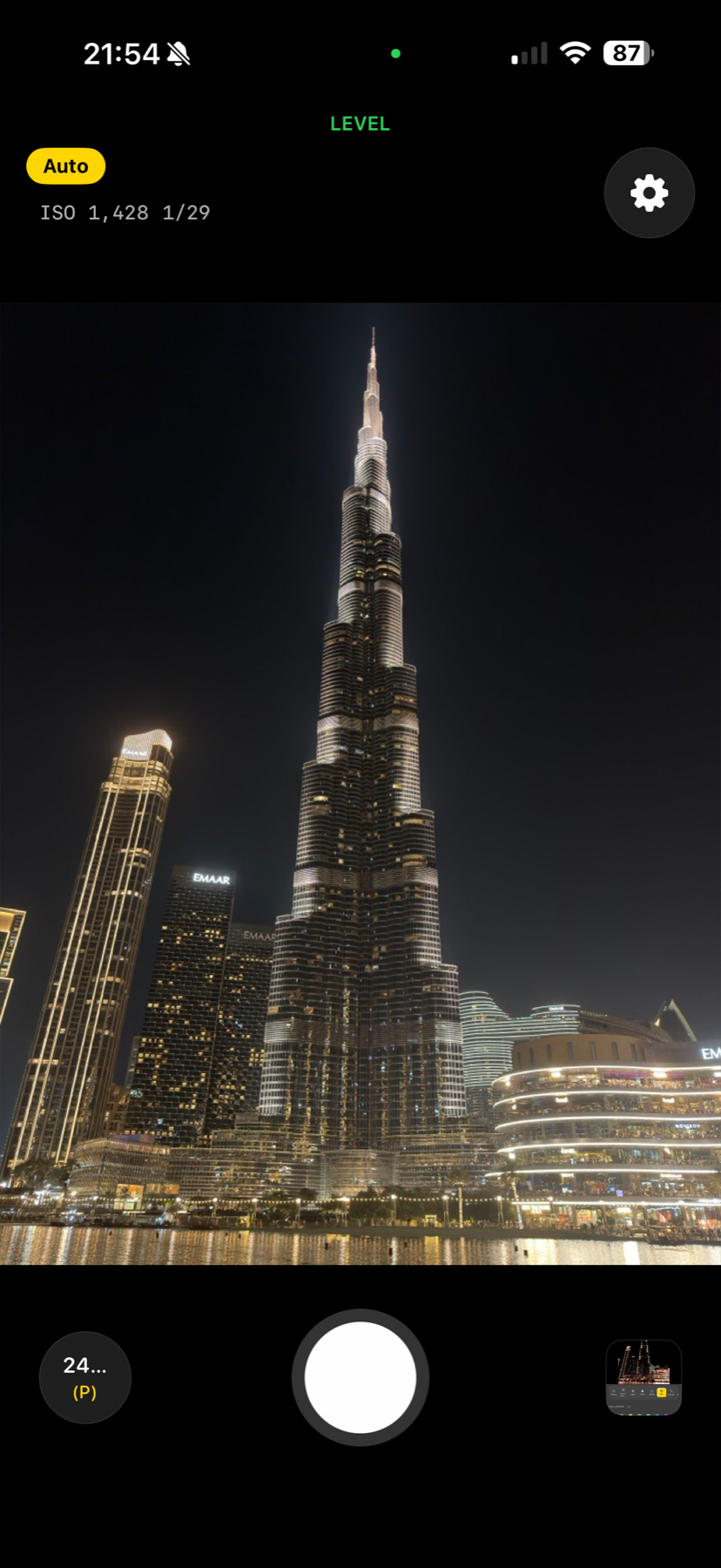
Auto, Program (P), Shutter Priority (S), ISO Priority, Manual (M), Night Mode, and Long Exposure up to 30 seconds. Swap ultra-wide, wide, and telephoto with a tap. Live readouts of ISO, shutter speed, and EV compensation stay visible the whole time you're shooting. Drag the on-screen reticle to pull focus by hand — no buried slider.
- Seven shooting modes covering every situation
- Three-lens lineup with one-tap switching
- Long Exposure up to 30 seconds for night work
- Manual focus reticle on the preview — drag to refocus
Exposure tools
Nail the exposure on the first frame.
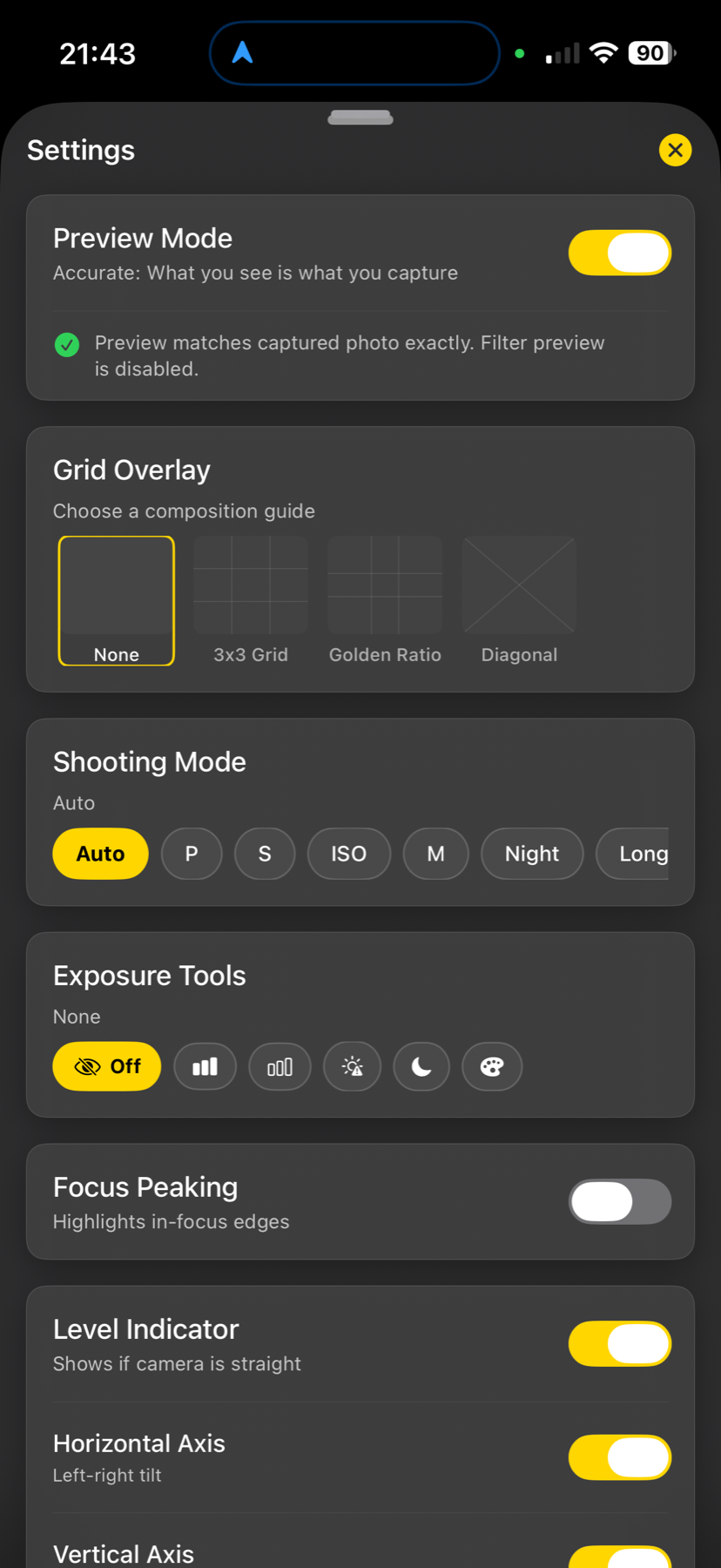
Live RGB and luminance histograms. Highlight and shadow zebras with adjustable thresholds. Full-frame false-colour exposure map. Adjustable focus peaking in your choice of colour. Dual-axis level indicator with haptic confirmation so you can keep the camera on the subject, not the screen.
- RGB + luminance histograms, live
- Highlight + shadow zebras with adjustable thresholds
- False-colour exposure overlay across the full frame
- Focus peaking + dual-axis level with haptic lock
Film looks
Eight era-grade LUTs, hand-tuned.
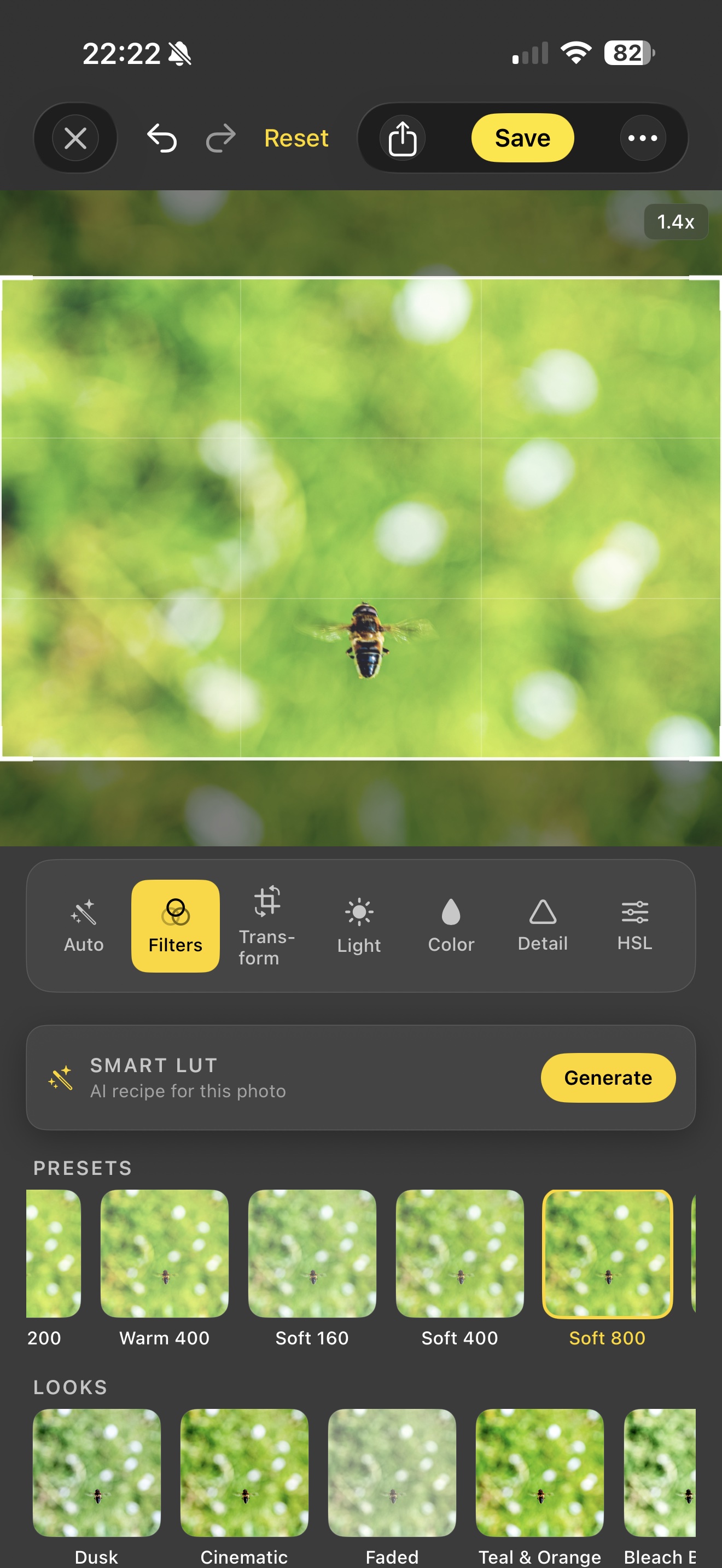
Skip the generic vintage filters. Acetate ships eight curated 3D LUTs covering the eras most photographers chase — '70s Warm, '80s Neon, '90s Cinema, Golden, Mono, Faded, Moody, and Cross. Press and hold any thumbnail in the camera to preview it live before you commit; tap to lock it in.
- Eight curated 33-cube LUTs in the bundle
- Press-and-hold to preview live in the camera
- Per-filter intensity slider blends 0 → 100 %
Bake your own LUTs
Save any edit. Apply to anything. Shoot in it.
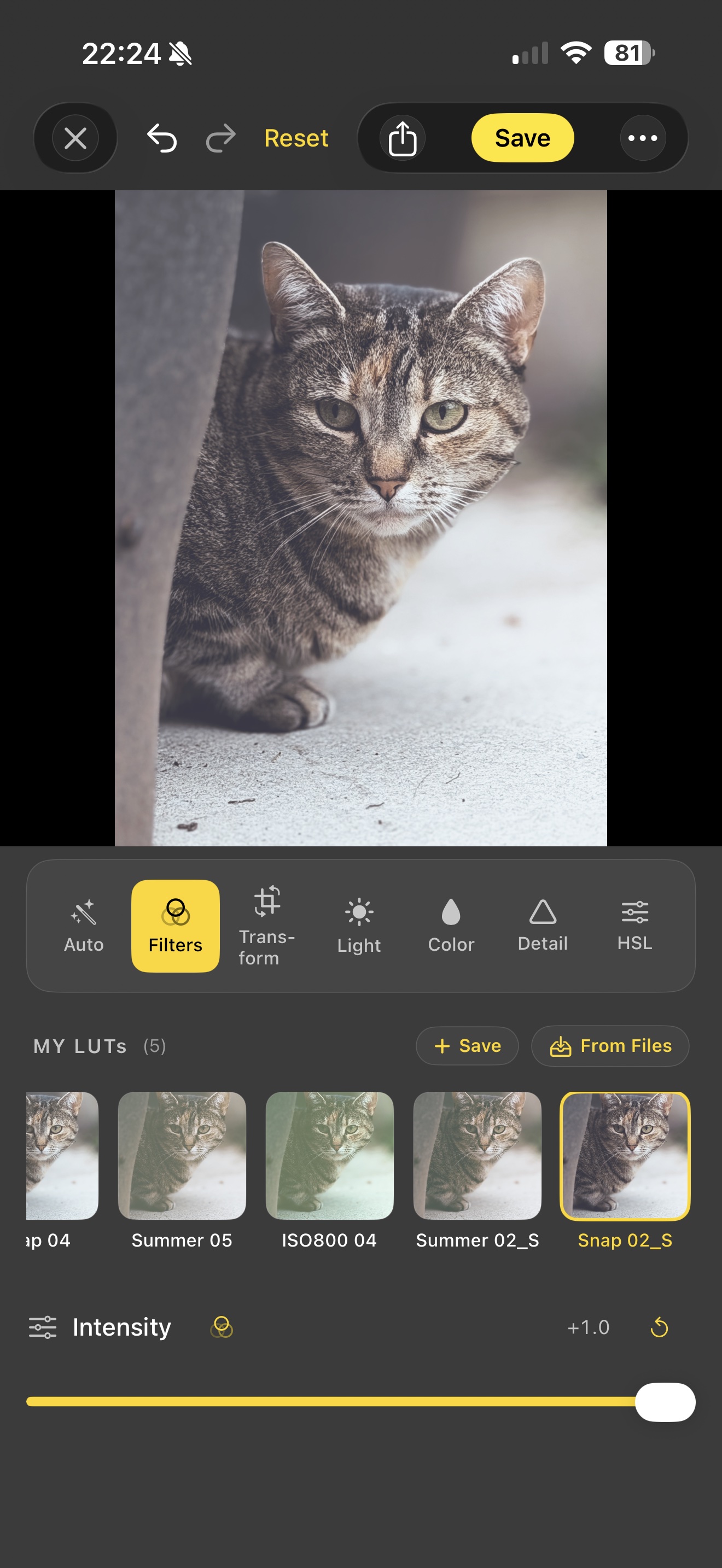
The killer feature. Edit a photo until you love it, hit Save as Filter, and Acetate bakes your full colour pipeline (Light, Colour, HSL, Curves, Split Toning, Grading Wheels, the active filter) into a portable .cube LUT. Apply it to other photos with one tap. Load it in the camera and shoot tomorrow's photos in the same grade. Per-LUT intensity slider blends 0 → 100 %.
- Save any edit as a portable .cube file
- Apply saved LUTs in editor AND camera
- Import .cube files from Files, iCloud Drive, AirDrop
- Export to share with Lightroom, Premiere Pro, or DaVinci Resolve
- Per-LUT intensity slider — blend 0 → 100 %
Three-way colour grading
The colourist's workflow on iPhone.
Real Lift / Gamma / Gain colour wheels for Shadows, Midtones, and Highlights — the same primary correction tool every professional colourist uses. Each wheel has its own luma slider. Single CIColorKernel under the hood — one GPU pass, no extra render hops, real-time preview.
- Three wheels with draggable pucks (hue × saturation)
- Per-range luma slider on each wheel
- Lift / Gamma / Gain math, not triangular weights
Editing depth
Pro tools that don't muddy.
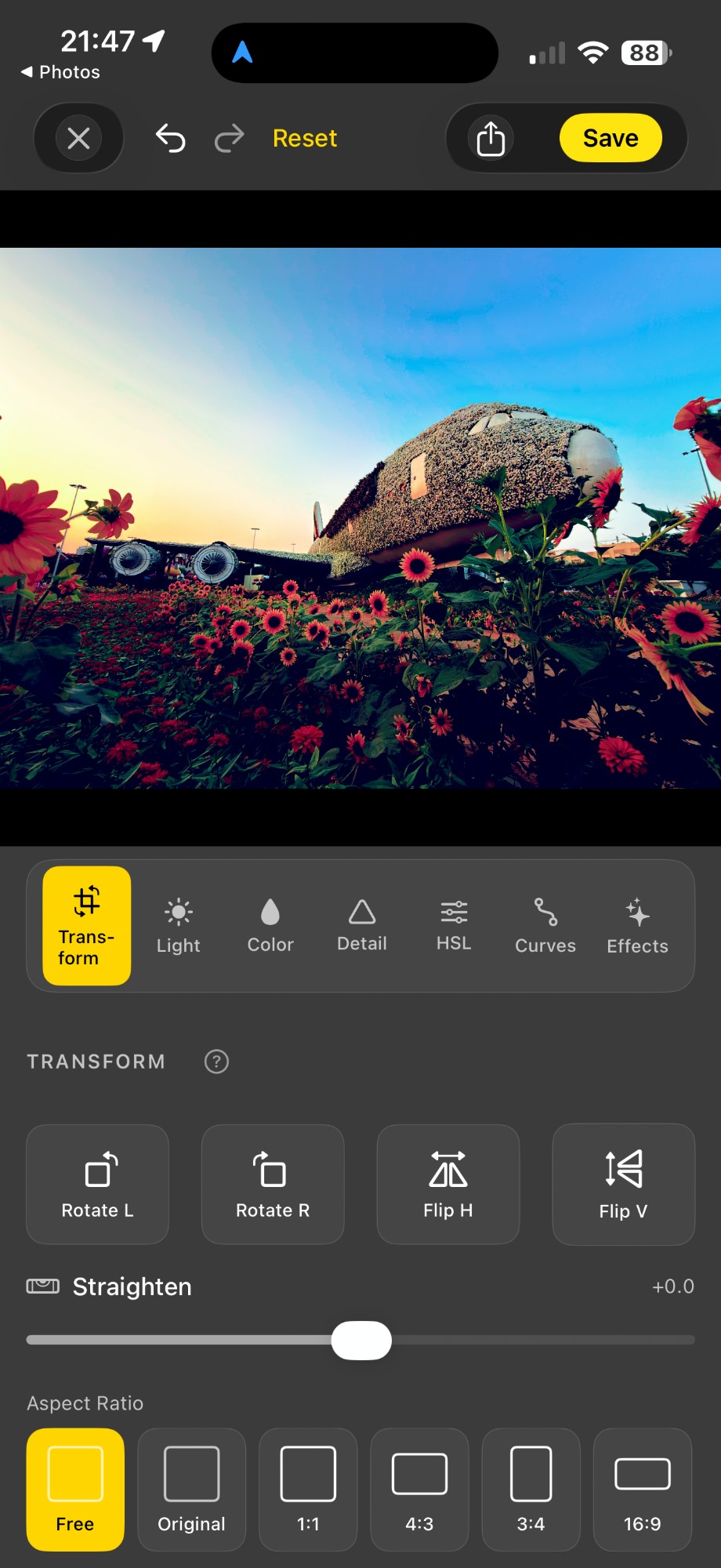
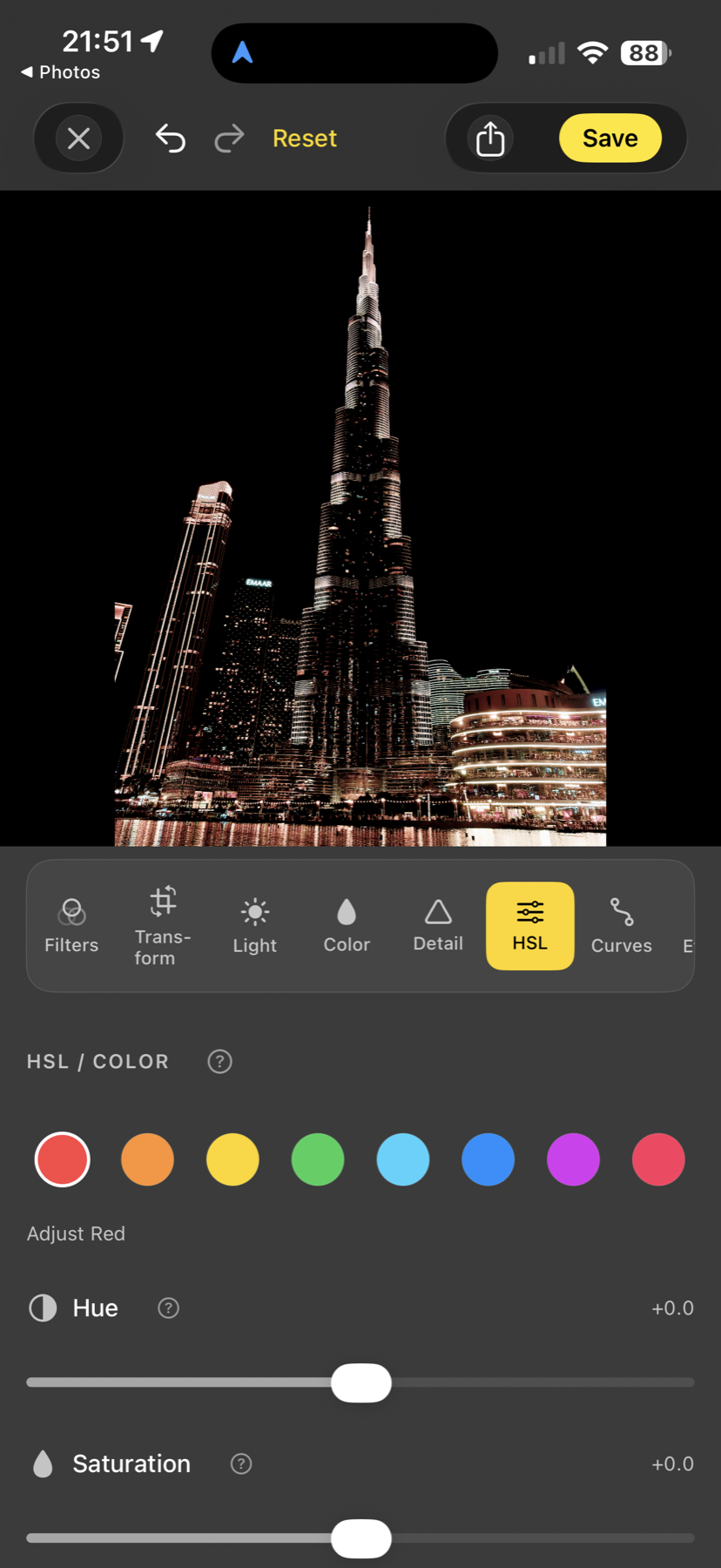
HSL runs in OkLab perceptual space, so a 20° hue shift doesn't drift saturation or luminance. RGB tone curves per channel + master. Split toning with hue/saturation/balance. Filmic highlight rolloff (Reinhard-style compression). Dehaze, texture, grain, vignette, three-stage edge-aware denoise. Real depth, no toy sliders.
- OkLab HSL — perceptually uniform, no chroma drift
- Master + per-channel RGB curves
- Filmic tone mapping with shadow lift + highlight rolloff
- Three-stage edge-aware denoise (median → CINoise → composite)
Tone curves
Bend the response. Bend the mood.
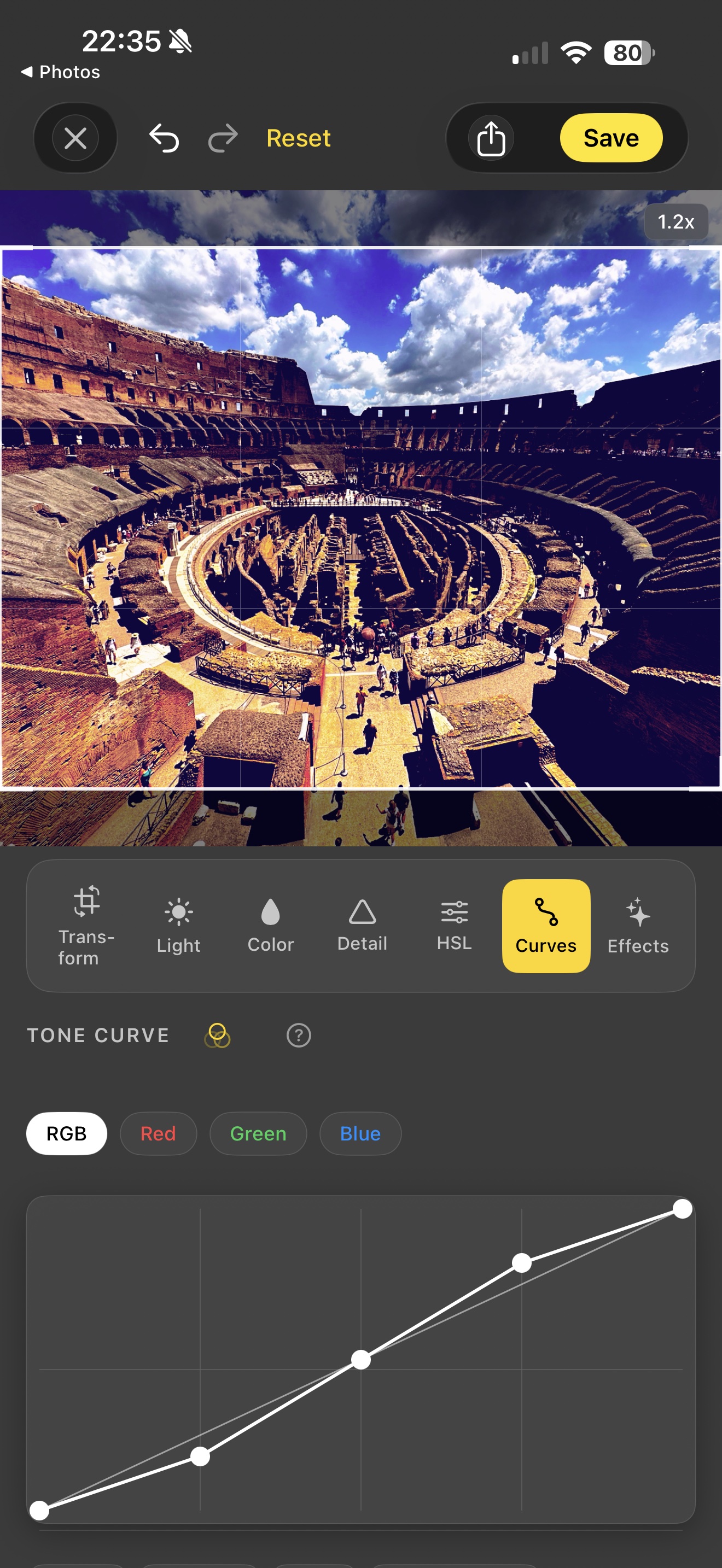
Master RGB curve plus a curve per channel — Red, Green, Blue. Drop points, drag them, watch the photo follow in real time. The classic colourist's tool, ported faithfully: lift the shadows, roll off the highlights, push a colour cast into a channel, pull it back out. No copy-paste from another app. The S-curve right there on the same screen as the histogram.
- Master + per-channel RGB curves (R / G / B)
- Add, drag, and delete points on the live curve
- Real-time preview — every drag hits the GPU pipeline
- Pairs with HSL, Split Toning, Grading Wheels in one recipe
Detail & finishing
Sharpness, texture, clarity, dehaze.
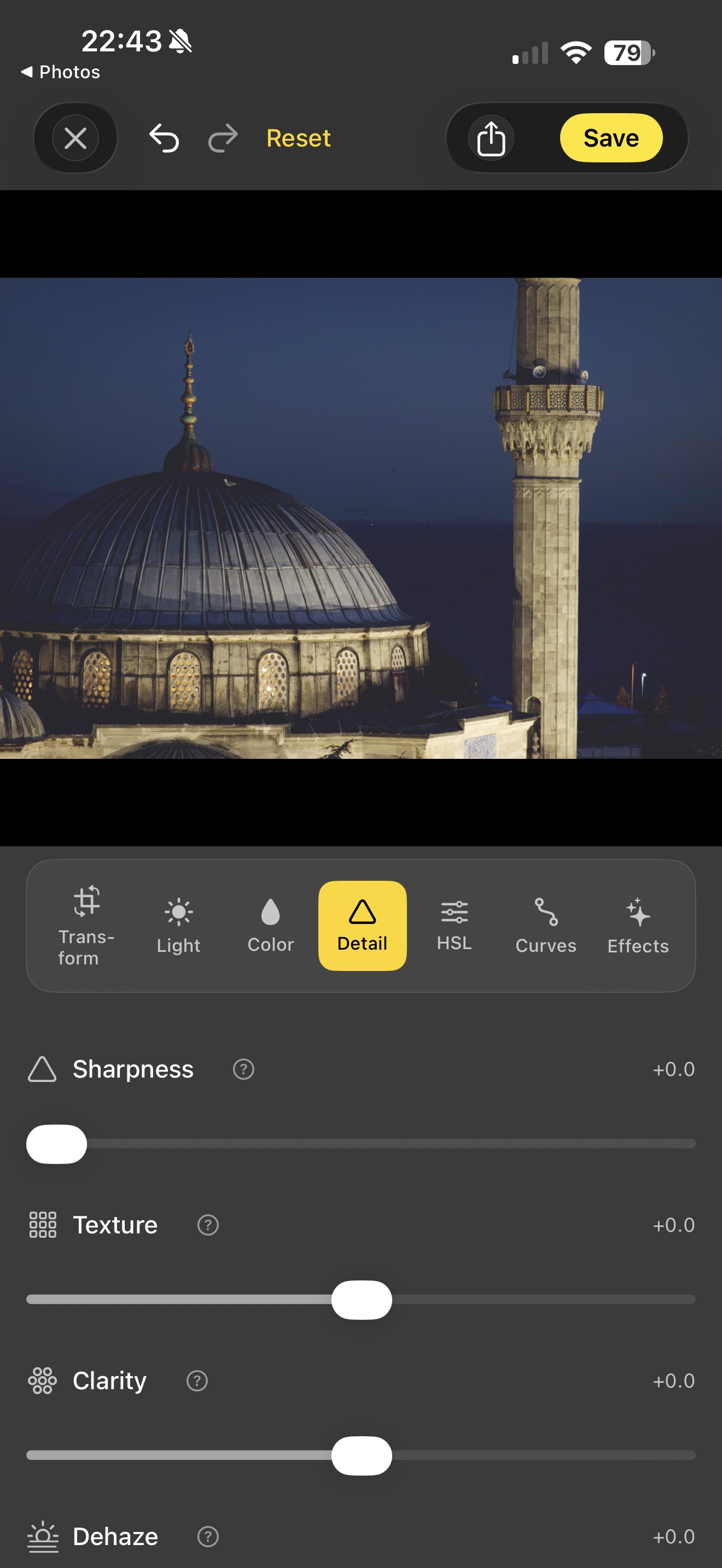
The finishing pass. Sharpness for fine edge detail. Texture for medium-frequency surface detail (skin, fabric, stone). Clarity for local contrast in the midtones. Dehaze to pull through atmospheric haze without crushing the photo. Three-stage edge-aware denoise underneath so cleanup doesn't sand off the detail you just dialled in.
- Sharpness, Texture, Clarity, Dehaze as independent sliders
- Edge-aware: detail tools respect contours, no halos
- Three-stage denoise: median → CINoise → composite
- Real-time preview at full sensor resolution
On-device intelligence
Smart tools that never leave your phone.
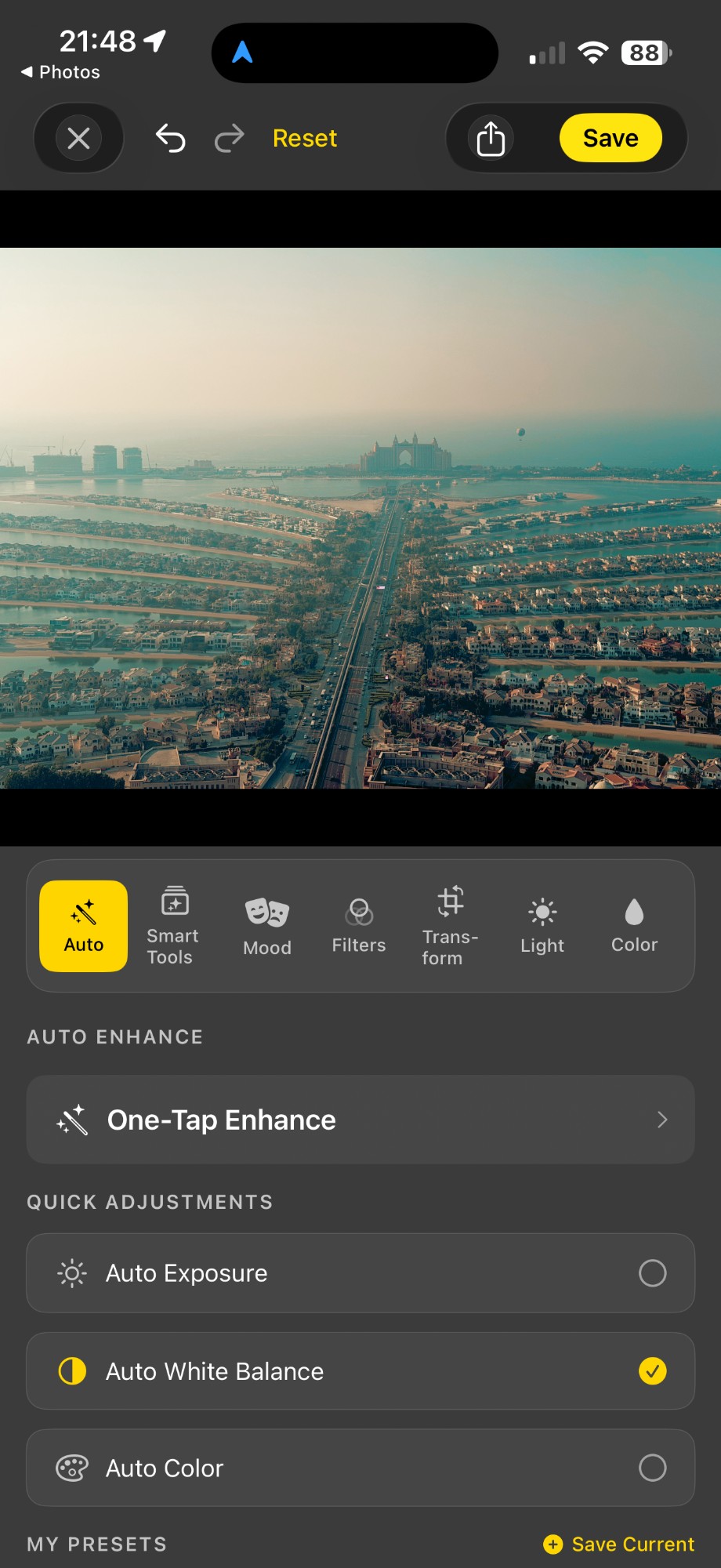
Scene detection optimises your photos automatically. Auto-straighten finds the horizon. Object Removal erases unwanted elements with a tap (A15 / M1 or newer). Share-sheet captions and hashtags are generated on-device too — Vision classifies the scene, Apple Intelligence drafts a literary one-liner. All of it runs locally using Apple's Vision framework and on-device Core ML — no cloud round-trip, no telemetry, no upload of your photos to anyone.
- Vision-based scene detection + auto-straighten
- Core ML object removal with smart-crop ROI
- Colour-matched seam blending — no visible patch
- AI share caption + Vision-derived hashtags, all on-device
- Works fully offline; no account required
Selective adjustments
Edit anywhere. Or just here.
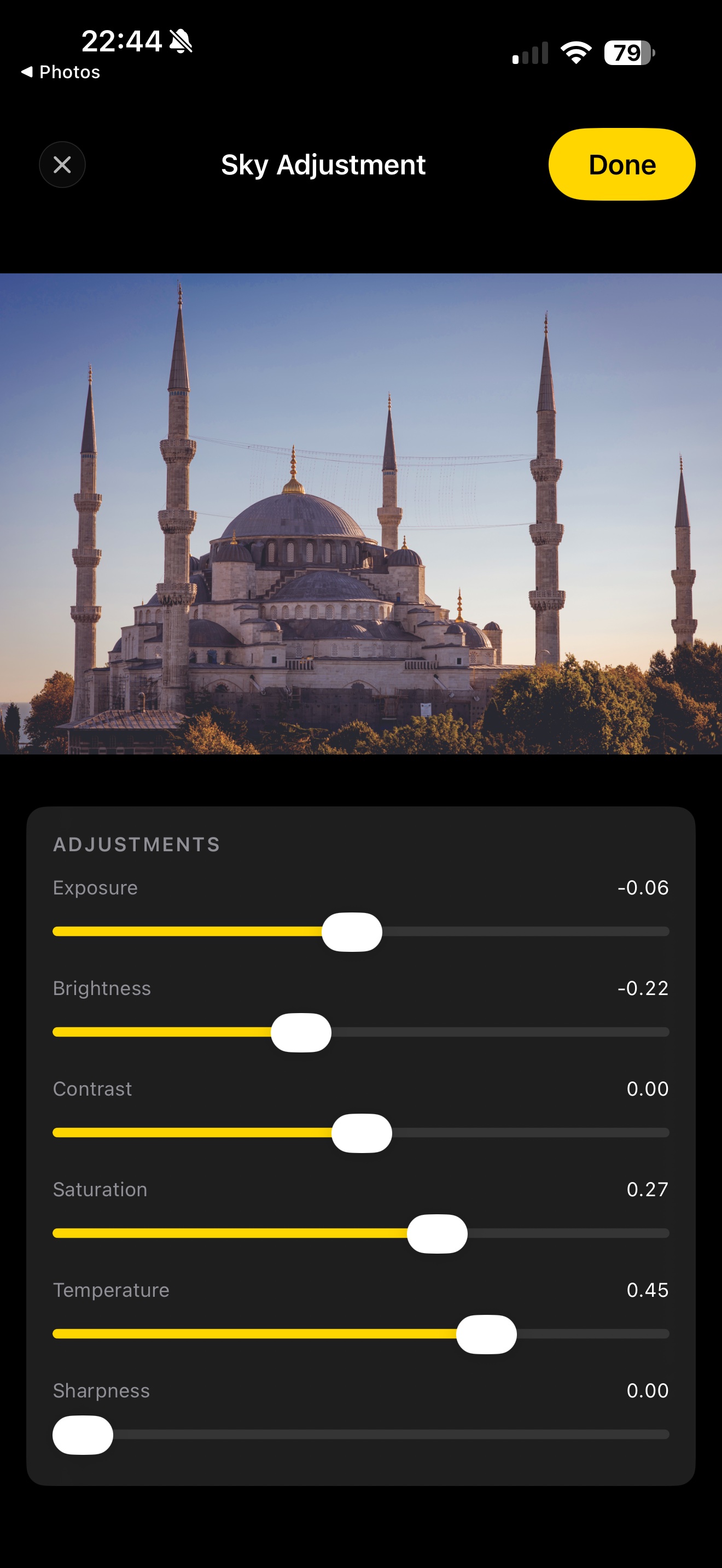
Six mask types in one panel: Radial, Linear Gradient, Subject, Person, Background, Sky. Vision finds the regions automatically on-device — tap Sky and Acetate isolates the sky for you. Then push exposure, brightness, contrast, saturation, temperature, sharpness, or clarity on just that mask. Multiple masks stack. Feather radius and invert are one tap each.
- Six mask types: Radial, Gradient, Subject, Person, Background, Sky
- Automatic mask detection via Vision — on-device, no cloud
- Stackable: multiple selective adjustments per photo
- Per-mask sliders: exposure, brightness, contrast, sat, temp, sharp, clarity
Tactile interface
Made for the photographer's hand.
Haptic feedback for the shutter, lens-swap clicks, and the level-lock confirmation. Live readouts always visible. Composition grids, before-and-after compare, unlimited undo and redo with proper history coalescing — drag a slider and the whole drag is one undo step, not fifty.
- Haptic feedback at every meaningful interaction
- Composition grids + dual-axis level indicator
- Unlimited undo / redo with drag coalescing
- Press-and-hold anywhere to compare before / after